LLM Agent Cost Control: Optimizing Tool Calls, Context Windows & Think Tokens
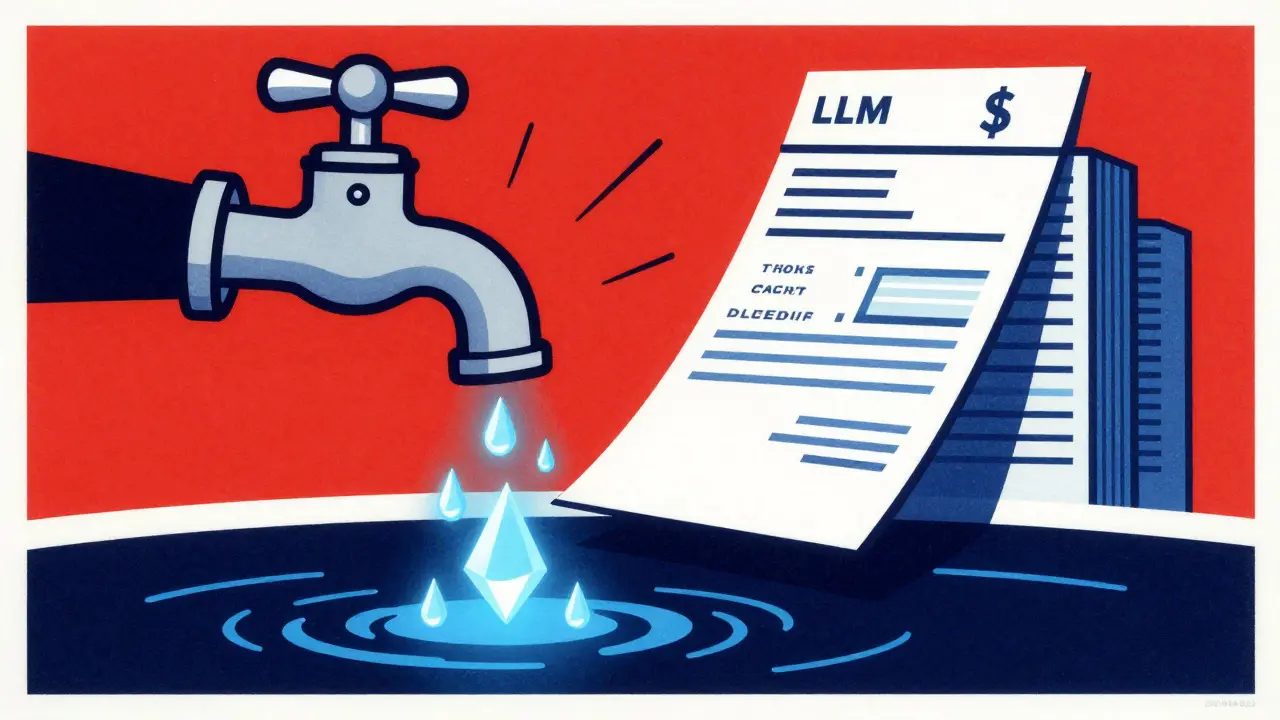
Running a Large Language Model (LLM) agent in production feels like watching a water bill climb while you’re still deciding if the faucet is leaking. In 2026, organizations are discovering that without strict cost controls, monthly infrastructure bills can easily exceed $250,000. The problem isn’t just the base price of the model; it’s the hidden multipliers built into how agents work: tool calls, bloated context windows, and the new generation of "think tokens" used for extended reasoning.
You don’t need to sacrifice intelligence to save money. You just need to stop paying for tokens that don’t contribute to the final answer. Here is how you actually control these three specific cost drivers.
The Hidden Multiplier: Why Tool Calls Bleed Money
Most developers underestimate the cost impact of agentic tool calling. It’s not just about the API call to the external service (like a database or a web search). Every time an agent invokes a tool, two things happen that spike your invoice:
- Context Expansion: The result of the tool call gets appended to the conversation history. If you search the web and get back 2,000 words of text, those 2,000 words now live in your context window for every subsequent turn of the conversation.
- Iterative Inference: Agents often loop. They call a tool, read the result, decide they need more info, and call another tool. Each loop requires a full inference pass from the LLM, multiplying the base token cost by the number of iterations.
To fix this, design your agents with "lazy loading" in mind. Don’t let the agent fetch entire documents when it only needs a summary. Batch related operations where possible. For example, instead of querying a database for user A, then user B, then user C in three separate turns, structure the prompt to allow a single batched query. Also, implement aggressive caching for tool results. If the agent asks for the same weather data twice in one session, serve it from cache at near-zero cost rather than hitting the API again.
Context Window Hygiene: Pruning What Doesn’t Matter
Your context window is your most expensive real estate. In 2026, models support massive windows (100k+ tokens), but using all of them is rarely necessary and always costly. Research shows that smart context management can reduce token usage by 20-40% without hurting output quality.
The mistake teams make is treating the context window as a log file. They dump the entire chat history, system prompts, and retrieved documents into the input. Instead, treat it as a working memory. Use intelligent pruning strategies:
- Summarize Old Turns: Once a part of the conversation is resolved, summarize it into a few sentences and replace the raw text. This keeps the semantic meaning but drastically reduces token count.
- Relevance Filtering: Before sending data to the LLM, use a lightweight embedding model to score which chunks of retrieved information are actually relevant. Discard the rest. If a document chunk has a similarity score below 0.7, it probably doesn’t belong in the context.
- Prompt Compression: Remove filler words. "In order to" becomes "to." "Could you possibly provide" becomes "Provide." These small cuts add up to 15-30% savings on the input side alone.
If you’re building a customer support agent, notice that the first five messages usually contain the core issue. By message ten, the early greetings and pleasantries are noise. Prune them. Your agent will be faster, cheaper, and likely more accurate because the model can focus on the signal, not the noise.

Think Tokens: Paying for Reasoning vs. Guessing
A new cost dimension arrived with the rise of reasoning models like OpenAI’s o-series and DeepSeek R1. These models generate "think tokens"-internal monologue steps before giving the final answer. These tokens are billed just like output tokens, but they aren’t visible to the user. You’re paying for the model’s scratchpad.
This changes the math. A simple question like "What is 2+2?" might trigger a long chain of thought in a reasoning model, costing 5x more than a standard model would charge. But for complex logic puzzles or code debugging, that extra thinking time prevents hallucinations and errors.
The strategy here is conditional reasoning. Don’t route every request through a high-think-token model. Use a router to classify the complexity of the user’s request. If it’s a factual lookup or a simple extraction task, route it to a fast, non-reasoning model (like GPT-4o-mini or Claude Haiku). If it’s a multi-step logical deduction, route it to a reasoning model. This tiered approach can cut your average per-request cost by 37-46% because you stop paying premium prices for basic tasks.
Infrastructure Levers: Batching and Quantization
If you self-host your models or have control over the serving layer, you have two massive levers: continuous batching and quantization.
Continuous Batching allows new requests to join a running batch as soon as a previous request finishes, rather than waiting for the whole batch to complete. Tools like vLLM have shown this can increase throughput by up to 23x compared to static batching. For agents, which often have variable response times, this means higher GPU utilization and lower cost per token.
Quantization reduces the precision of the model weights (e.g., from FP16 to INT8 or INT4). Smaller weights mean less memory bandwidth required, which is the bottleneck for inference speed. A quantized 8B parameter model can achieve 95% of the performance of a 70B model while using a fraction of the memory. If your agent doesn’t need perfect mathematical precision, deploy a smaller, quantized model. It’s faster, cheaper, and often sufficient for routine interactions.
| Technique | Primary Impact | Typical Savings | Best For |
|---|---|---|---|
| Context Pruning | Reduces input token count | 20-40% | Long conversations, RAG systems |
| Model Routing | Matches model size to task complexity | 37-46% | Mixed workload agents |
| Semantic Caching | Eliminates redundant inference | 15-30% | FAQ bots, repetitive queries |
| Quantization | Reduces memory/compute load | 40-60% | Self-hosted deployments |
| Tool Call Batching | Minimizes iterative loops | Variable (High) | Multi-step agentic workflows |

Monitoring: Stop Guessing, Start Measuring
You can’t optimize what you don’t measure. Many teams fly blind until their credit card arrives. Implement cost monitoring that tracks four metrics simultaneously: throughput (tokens/sec), latency (time to first token), cost per token, and quality (accuracy/hallucination rate).
Set baseline metrics for each agent type. If your support agent suddenly starts spending 2x its usual budget, it’s likely stuck in a tool-calling loop or generating excessive think tokens. Anomaly detection alerts should trigger investigation when spending deviates from the norm. Use tools like MLflow or Weights & Biases to log cost metadata alongside experiment runs. This lets you see exactly which prompt version or model configuration caused the cost spike.
Frequently Asked Questions
Are think tokens always worth the extra cost?
Not always. Think tokens are valuable for complex reasoning, math, and coding tasks where accuracy is critical. For simple retrieval or classification tasks, they add cost without benefit. Use a routing layer to reserve reasoning models for complex requests only.
How do I prevent tool calls from exploding my context window?
Limit the size of tool outputs before they enter the context. Summarize large results using a cheap model first. Cache frequent tool results so they don't need to be re-fetched and re-injected into the context for every turn.
Is quantization safe for production agents?
Yes, for most use cases. Modern quantization methods like INT8 or FP8 retain over 95% of original model performance. Test your specific use case, but for general conversational agents, the trade-off between slight accuracy loss and significant cost/speed gains is almost always favorable.
What is the biggest single factor in LLM agent costs?
Context window bloat. Because input tokens are processed in every turn of a conversation, inefficient context management compounds costs exponentially over long sessions. Pruning and summarizing old history is the highest-impact optimization.
How does model routing affect agent latency?
It usually improves it. Routing simple tasks to smaller, faster models reduces queue times and inference duration. Only complex tasks hit the larger, slower premium models. This creates a smoother overall user experience while lowering average costs.








Let's be real for a second. This whole "cost control" narrative is just corporate fluff to make us feel like we're doing something smart while the bills keep climbing anyway. You talk about pruning context windows like it's some kind of hygiene routine, but have you ever actually looked at the raw logs? No. You just read a blog post and now you think you understand inference loops. The math doesn't lie; it says every token costs money, and if you are paying for think tokens, you are basically paying for the model to overthink its way into a hallucination. Stop pretending that routing simple tasks to cheap models is a strategy; it's just a band-aid on a bullet wound. The real problem is that we built these agents to be verbose because verbosity feels like intelligence to non-technical stakeholders. So yeah, optimize all you want, but until the underlying architecture stops treating every query like a PhD thesis, your savings are an illusion.
Oh my gosh, did you see that?! They said $250,000!!! That is not a typo!! It’s literally bleeding money out of our pockets! I am so paranoid right now because I bet the tool calls are tracking us too, or maybe the context window is storing our secrets somewhere deep in the server farm where nobody can check it!! Why do they always hide the real multipliers?? It’s all a conspiracy to keep us buying more GPUs!!
Not sure if I agree with the aggressive take on the first point, but the part about batching database queries is spot on. We tried splitting those up last month and the latency spike was annoying. Grouping them helped a lot.
I completely agree with the sentiment here, and honestly, the section on prompt compression is something most teams overlook until it’s too late, which is a shame because it’s one of the easiest wins you can get without touching the core logic of your agent, and I’ve seen teams waste hours debugging complex routing issues when a simple find-and-replace on their system prompts would have saved them days of work and thousands of dollars in unnecessary input tokens, so really, start there before you even think about quantizing your weights or implementing fancy caching layers, because if your base prompt is bloated with filler words like 'in order to' or 'could you possibly', you’re essentially paying for air, and that adds up fast when you’re running high-volume support bots or RAG pipelines that process thousands of documents daily, so trust me, clean up your language first, then worry about the infrastructure levers, because a lean prompt is the foundation of any efficient LLM deployment, no matter how sophisticated your backend serving stack might be.
okay so i run a small support bot and this made total sense. we were dumping the whole chat history into the context every time which was dumb. started summarizing old turns and our bill went down like 30% overnight. no drama just results. also the router idea for think tokens is gold. stop using o-series for 'what is your address'.
The claim that quantization retains 95% performance is optimistic for specific edge cases, particularly in mathematical reasoning or precise code generation where INT4 artifacts can introduce subtle errors that compound over long agentic chains. However, for general conversational flow and retrieval-augmented generation, the trade-off is undeniable. The article underplays the engineering overhead of maintaining dual-model routing logic, though. You need robust fallback mechanisms if the router misclassifies complexity, otherwise you end up with silent failures where a complex task gets routed to a weak model and returns a confident but wrong answer. This is why monitoring isn't just about cost, it's about quality assurance. If you don't track hallucination rates per model tier, you're flying blind. The 37-46% savings figure assumes perfect routing accuracy, which is rarely achieved in production environments without significant fine-tuning of the classifier itself. So, while the advice is sound, the implementation risk is higher than presented. Don't skip the A/B testing phase on your routing layer. It's the most critical component of this entire cost optimization strategy, and yet it's given the least attention in the text. Most teams will implement the easy stuff like caching and ignore the hard stuff like dynamic model selection, only to hit a wall when their users start complaining about inconsistent quality. The infrastructure levers are secondary to the logical consistency of your agent's decision-making process. If the agent decides incorrectly, no amount of quantization will save you from the bad output. Focus on the brain before you focus on the body. That's the only way to sustain these savings long-term without sacrificing user trust. The table provided is a good starting point, but it lacks nuance regarding failure modes. Add a column for 'Risk Profile' and you'll have a much more realistic view of what you're getting into. Until then, treat these numbers as best-case scenarios, not guarantees. The reality of LLM operations is messy, and cost control is just one dimension of that mess. Manage it well, and you'll survive. Manage it poorly, and you'll burn through your budget in a quarter. It's that simple. Or rather, it's that complicated. But the principle remains: measure everything, route intelligently, and prune ruthlessly. Anything less is just guessing. And in 2026, guessing is expensive.
Great breakdown! Honestly, the part about lazy loading tools is where most of us go wrong. We let the agent fetch the whole PDF when it just needs the summary. Smart move to batch those DB calls too. Saved us a ton of headaches last sprint. Keep it up!