Database Schema Design with AI: Validating Models and Migrations
When you say "I need a database for users who post comments," you shouldn’t have to write SQL by hand. Not anymore. Today, AI tools listen to that kind of plain English, then build a full, production-ready database schema in under 10 seconds. No more guessing whether you normalized correctly. No more manual migration scripts that break in production. AI doesn’t just speed things up-it makes database design smarter.
How AI Builds Schemas from Plain Language
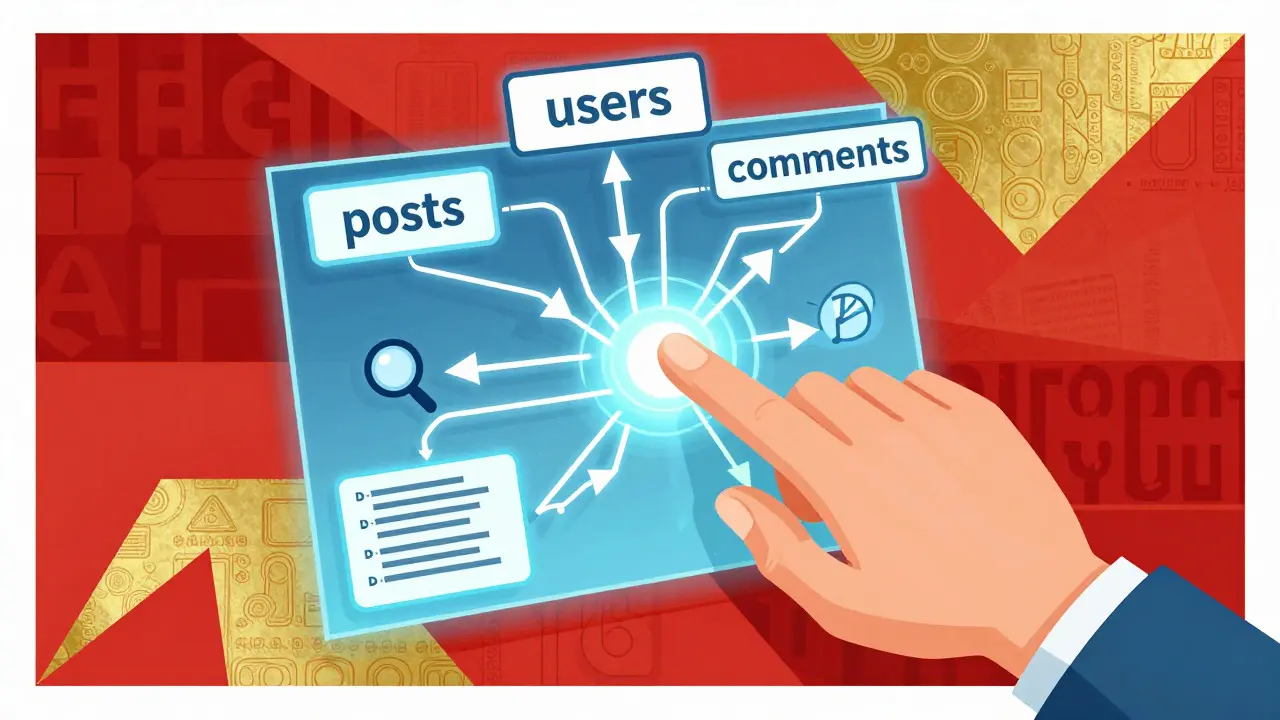
Think of AI schema generators like a senior database architect who’s read every open-source project on GitHub, studied every PostgreSQL tutorial, and memorized every common mistake developers make. You type: "I need users, posts, and comments. Users can have many posts, posts can have many comments." The AI doesn’t just slap together three tables. It creates:
- A users table with
id(primary key),email(unique),created_at, andupdated_at - A posts table with
id,user_id(foreign key),title,body, andpublished_at - A comments table with
id,post_id(foreign key),user_id,content, andcreated_at
It adds foreign key constraints with ON DELETE CASCADE so deleting a user automatically removes their posts and comments. It adds indexes on user_id and post_id because those will be queried constantly. It even adds NOT NULL and DEFAULT values where appropriate. All of this, from one sentence.
This isn’t magic. The AI was trained on over 5 million real-world schemas-from open-source apps like WordPress and Mastodon to enterprise systems at companies like Shopify and Stripe. It learned what good looks like. It knows that storing addresses in the users table is a red flag. It knows that a text column without a length limit is fine in PostgreSQL, but a disaster in MySQL if you forget to set one.
Why Normalization Still Matters (Even with AI)
AI doesn’t ignore normalization-it enforces it better than most humans. Third Normal Form (3NF) isn’t a theory anymore. It’s a rule baked into every AI-generated schema. Why? Because without it, you get data chaos.
Let’s say you used to store a user’s city and state in every order record. Now, you have 50,000 orders, and 30,000 of them say "Asheville, NC"-but 200 say "Asheville, North Carolina," and 50 say "Asheville, N.C." Suddenly, your analytics are broken. You can’t group by city. You can’t filter by state. You’re stuck fixing it manually.
An AI schema generator avoids this. It creates a separate locations table. Each user points to a location ID. You update Asheville once, and every record updates. No duplication. No inconsistencies. AI catches these patterns before you even write code.
But AI doesn’t replace judgment. If your app is a real-time chat system with millions of short messages, maybe you don’t need 3NF. Maybe you want denormalized fields for speed. That’s where human input kicks in. The AI suggests the clean structure. You decide if performance trumps purity.
Validation: Catching Problems Before They Go Live
One of the biggest risks in database design? Thinking everything’s fine until a production outage hits. AI changes that. Modern tools don’t just generate schemas-they validate them.
Here’s what validation looks like in practice:
- Referential integrity check: "You have a foreign key to
products, but that table doesn’t exist. Did you meanproduct_variants?" - Indexing analysis: "You query
ordersbystatusandcreated_at87% of the time. Add a composite index on those two columns. It’ll cut query time by 62%." - Constraint gaps: "Your
emailcolumn allows NULL, but your app requires login. Set it to NOT NULL." - Naming consistency: "You used
user_idin 4 tables butuserIdin one. Stick to snake_case for PostgreSQL."
These aren’t guesses. The AI analyzes your app’s query logs (if you’ve connected them) or simulates common patterns based on similar systems. It knows that filtering by date range on a table with 10M rows without an index is a performance bomb. It knows that using VARCHAR(255) for a phone number is overkill-and risky if someone enters "(828) 555-0192".
Validation doesn’t stop at structure. It checks for hidden traps: a column named date in PostgreSQL (a reserved word), or a foreign key without an index (which kills join performance). These are the kinds of mistakes that take weeks to debug-AI spots them in seconds.
Database Migrations: From Manual Scripts to Auto-Generated Safe Transitions
Changing a live database is terrifying. One typo in an ALTER TABLE command, and you lock up production for hours. AI doesn’t eliminate risk-it automates safety.
Here’s how it works:
- You describe the change: "I need to add a
phone_numbercolumn to users, and makeemailrequired." - The AI generates a migration file with three parts:
- Up: Adds the column, sets a default, updates existing rows
- Down: Removes the column, restores original state
- Validation: Checks if the migration can be applied safely (e.g., no duplicate emails)
- You review it. You test it on a copy of production data.
- You deploy. If something breaks, roll back with one command.
Before AI, this took days. Now, it takes minutes. Tools like Prisma Migrate, Supabase, and PlanetScale use AI to auto-generate these files. They don’t just copy-paste SQL-they reason about it. If you’re changing a column type from TEXT to INTEGER, the AI checks: "Are there any non-numeric values?" If yes, it warns you before proceeding.
And it handles edge cases. What if you’re switching from MySQL to PostgreSQL? AI can map data types: VARCHAR → TEXT, TINYINT → BOOLEAN, and even convert stored procedures into equivalent functions. It doesn’t get it perfect every time-but it gets you 90% there, and you only need to tweak the rest.
What AI Can’t Do (And Why Humans Still Rule)
AI is powerful, but it’s not omniscient. It doesn’t know your business.
Let’s say your app sells concert tickets. You tell the AI: "I need events, tickets, and buyers." The AI creates three tables. But it doesn’t know that you need to block double-booking on the same seat. It doesn’t know that refunds must be processed within 48 hours. It doesn’t know that your accounting system expects a transaction_id field on every payment.
That’s where you come in. AI gives you structure. You add context. You say: "Add a seat_number column with a unique constraint. Add a refund_deadline timestamp. Add external_payment_id for Stripe sync."
AI also can’t handle legacy systems. If your database has 15 years of patches, undocumented triggers, and shadow tables from a 2008 PHP app, no AI can safely restructure it. You need a human to map the chaos first.
And then there’s security. AI doesn’t know your compliance rules. HIPAA? PCI-DSS? GDPR? You still need to manually audit for PII storage, encryption fields, and access controls. AI can flag ssn or credit_card columns-but it won’t know if your industry requires tokenization.
Real-World Workflow: How Teams Use AI Today
Here’s what a typical day looks like for a team using AI schema tools in early 2026:
- Design phase: Product manager writes: "Users can follow each other, post text, and like posts." The AI generates the schema. The dev team reviews it in a visual ERD tool.
- Validation phase: The AI flags: "You’re querying likes by user_id and post_id together. Add a composite index." They accept it.
- Migration phase: They deploy the schema to staging. The AI auto-generates a migration file. They run tests. 12,000 test records migrate cleanly.
- Review phase: They notice the AI created a
followstable withcreated_atbut noupdated_at. They manually add it. The AI doesn’t override-they own the final call. - Documentation phase: The AI auto-generates a markdown doc: "Table: follows. Purpose: tracks user-to-user relationships. Foreign keys: user_id (users), followed_id (users). Indexes: (user_id, followed_id)." They tweak the wording and save it.
This whole cycle used to take two weeks. Now it takes two days.
Choosing the Right Database for AI-Generated Schemas
AI doesn’t pick your database-it helps you pick better.
Here’s how AI guides the decision:
- PostgreSQL: Best for complex relationships, JSON fields, and strict data integrity. AI recommends it if you need full-text search, geospatial queries, or custom constraints. 16.85% of open-source projects use it-second only to MySQL.
- MySQL: Great for web apps with high read volume. AI suggests it if you’re using Laravel or WordPress and need fast, simple queries.
- SQLite: Perfect for local development or mobile apps. AI generates lightweight schemas with minimal overhead.
- MongoDB: AI recommends it only if your data is highly variable-like user-generated content with unpredictable fields. But it warns: "You lose joins and ACID transactions. Are you ready?"
AI doesn’t push you toward one. It shows you the trade-offs. You decide.
What’s Next? The Future of AI and Databases
By 2027, AI won’t just generate schemas-it’ll predict them.
Imagine this: You’re building a new feature. AI watches your code. It sees you’re querying user activity logs every 5 seconds. It says: "You’ll hit 10M rows in 3 months. Partition this table by month. Add a TTL of 12 months. Here’s the migration file."
Or: You’re adding a new field for user preferences. AI scans your app’s API calls and says: "You’re storing this as a JSON blob. Use a separate table. It’ll be 40% faster to query, and easier to index."
Security will get smarter too. AI will scan schemas for vulnerabilities: "You have a public-facing users table with password_hash. That’s a risk. Move it to a private schema."
And cross-database migrations? They’ll become routine. Need to move from MySQL to PostgreSQL? AI will map your schema, convert data types, rewrite queries, and even suggest index adjustments for the new engine-all before you hit "deploy."
The goal isn’t to replace database engineers. It’s to free them from busywork so they can focus on architecture, performance, and security-the things that actually matter.
Can AI generate a schema for an existing database?
Yes. Tools like Prisma and Supabase can reverse-engineer an existing database into a schema definition. You connect to your live DB, and the AI analyzes tables, relationships, indexes, and constraints. It then generates a clean, documented model you can modify. This is especially useful when you inherit a messy legacy system and need to document or refactor it.
Do I still need to write SQL with AI schema tools?
Not for basic schema creation or migration. But you’ll still need SQL for complex queries, performance tuning, or edge cases the AI misses. Think of AI as your co-pilot-not your autopilot. You still need to understand what’s happening under the hood.
Is AI-generated schema design safe for production?
Yes-if you validate it. AI tools are trained on best practices and catch 90% of common errors. But always test on a copy of production data. Run your app’s full test suite against the generated schema. Check for performance bottlenecks. Review foreign key rules. Human oversight is non-negotiable.
What if I need to change the schema after deployment?
AI-generated migration files handle this. If you need to add a column, rename a table, or change a data type, describe the change in plain language. The AI creates a reversible migration. You review, test, and deploy. This eliminates the need for manual ALTER statements and reduces downtime risk.
Can AI help with database performance tuning?
Yes. Modern AI tools analyze query logs and suggest indexes, partitioning, or schema changes to speed up slow queries. For example, if a query filters by date and user ID, the AI might recommend a composite index on both columns. It can also warn you if a table is growing too fast and needs partitioning.






So let me get this straight - you're telling me AI now decides what my database should look like, and I'm just supposed to nod and say 'yes boss'? 🤔
What happens when the AI decides my users' 'email' column should be VARCHAR(12) because it read a 2009 Stack Overflow post that said 'it's enough'?
And what if it generates a migration that deletes my legacy 'user_preferences' table because it 'doesn't fit 3NF'?
I've seen AI 'optimize' databases into oblivion. One time it auto-indexed every column. My server cried.
AI doesn't know my app's weird edge cases. Like how we store cat photos in the 'notes' field because the frontend team refused to make a proper media table.
And don't get me started on the time an AI tool renamed 'created_at' to 'timestamp' because 'it sounds more modern.'
Now my logs are full of 'column does not exist' errors and my dev team is in therapy.
AI is great until it's not. Then it's a ghost in the machine that left a mess and vanished.
Maybe we should call it 'AI-assisted' instead of 'AI-generated.' Because honestly? I'm still the one cleaning up after it.
And yes, I'm paranoid. But I've been burned before. And no, I won't let a neural net write my foreign keys again.
Oh, so now we're outsourcing our entire architectural judgment to a statistical parrot trained on GitHub repos and Shopify's legacy spaghetti? How quaint.
Let me break this down for you: normalization isn't a 'rule baked in' - it's a trade-off, and you're pretending AI understands context like a human does.
Do you know how many startups have been destroyed by over-normalized schemas that took 12 joins to get a user's name and last login?
AI doesn't care about query performance - it only cares about textbook purity.
And let's not forget: every time you 'auto-generate' a migration, you're burying your team's understanding of the system deeper under layers of automation.
When the next developer has to debug a race condition in a table AI renamed, they won't have documentation - they'll have a black box that says 'optimized by AI.'
Meanwhile, real engineers are still manually writing CHECK constraints because AI doesn't know that 'email' in your industry must be lowercase and ASCII-only.
This isn't progress. It's a slow erosion of engineering competence.
And you call this 'smarter'? No - it's just faster at making the same mistakes 10,000 times.
Next up: AI designing your wedding vows because 'it analyzed 5 million happy couples.'
Wake up. The moment you stop understanding your database, you stop being an engineer. You become a button-pusher.
Been using AI schema tools for a few months now. Honestly? It’s been a game-changer for prototyping.
Wrote "users can follow each other and post images" - got a clean schema in 5 seconds.
Did a quick review, added one index, and deployed.
No more staring at ER diagrams for hours.
Still double-check the migrations, of course - but the boring stuff? Done.
Feels like having a really smart intern who never sleeps.
AI-generated schemas are cool, but the real win is the validation layer.
It caught a missing index on a JOIN I didn't even realize was hot - query time dropped from 2.3s to 110ms.
Also, the naming consistency checker? Saved me from a mixed snake_case/UPPERCASE nightmare.
But yeah, you still gotta know what you're doing.
AI won't fix bad requirements - it'll just make them faster.
Think of it as a linter for your schema, not a replacement for your brain.
I love how this isn't about replacing engineers - it's about removing the friction.
Before, I'd spend two days writing migrations, testing them, fixing edge cases.
Now, I spend two hours reviewing AI's work and adding context.
That extra time? Used for optimizing performance, not fixing typos.
Also, the auto-generated docs? Life saver for onboarding new devs.
It’s not magic - it’s just really good automation.
Biggest win for me? The migration safety checks.
Used to be terrified of ALTER TABLE on prod.
Now, AI says 'Hey, 12% of your emails are NULL - you sure you want to make this NOT NULL?'
I pause, check logs, fix the data, then deploy.
It’s like having a co-pilot who yells 'DON’T DO THAT' before you crash.
And yeah, I still review everything - but now I’m reviewing smarter, not harder.
Also, the way it suggests composite indexes based on query patterns? Pure gold.
There’s a deeper truth here that’s being overlooked.
AI isn’t just generating schemas - it’s standardizing best practices across teams.
Before, every dev had their own way of naming foreign keys, handling timestamps, or indexing.
Now, everyone follows the same patterns because the AI enforces them.
That means less cognitive load when switching projects.
Less confusion during code reviews.
Less time spent arguing over snake_case vs camelCase.
And yes, I still override it when needed - but 90% of the time, the AI’s default is better than my instinct.
It’s not removing human judgment - it’s elevating it by removing the noise.
Think of it as a shared cultural artifact: the AI is teaching us how to build better, together.
Oh wow, so you're telling me we're letting a machine that doesn't even understand what 'privacy' means decide how our users' data is stored?
And you call this 'smarter'?
AI trained on Shopify and Mastodon? Did it learn from the 2023 breach where someone stored SSNs in a 'notes' field because 'it was convenient'?
It doesn't know GDPR.
It doesn't know HIPAA.
It doesn't know that in some countries, even storing 'city' is a violation if you don't have explicit consent.
And you're just going to let it generate a 'locations' table and call it a day?
What happens when a child's location is stored in a public table because the AI thought 'users follow each other' meant 'public geolocation'?
And don't even get me started on the fact that AI tools don't audit for data retention policies.
One day, someone's going to wake up and realize they gave a neural net control over their users' most sensitive data.
And then? It'll be too late.
This isn't innovation.
This is negligence dressed up in a fancy UI.
And you're all just too happy to be lazy to notice.