Linting and Formatting Pipelines for Vibe-Coded Projects: A Maintainability Guide
It feels magical when you describe a feature in plain English and watch an AI agent write the code for you. But that magic has a price tag: technical debt that accumulates faster than you can say "hallucination." This approach, often called vibe coding, is a development methodology where AI agents generate code from high-level natural language prompts. Without guardrails, your project turns into a swamp of unused variables, broken imports, and inconsistent styles. The solution isn't to stop using AI; it's to build a robust linting and formatting pipeline specifically designed to catch these AI-specific errors before they hit production.
The Unique Challenge of AI-Generated Code
Hand-written code usually follows a developer's internal rhythm. AI-generated code does not. It follows probability distributions. When you vibe-code, the AI might pick a random naming convention, import a library it doesn't use just because it saw it in training data, or leave dead code behind from previous iterations. These aren't just style issues; they are maintainability killers.
Traditional code reviews miss these patterns because humans look for logic errors, not statistical anomalies. You need automated enforcement layers that run on every commit. Think of your linting pipeline as the immune system of your repository. It identifies foreign bodies (unused imports) and repairs tissue damage (style drift) instantly. If you skip this step, you will spend more time fixing AI mistakes than building features.
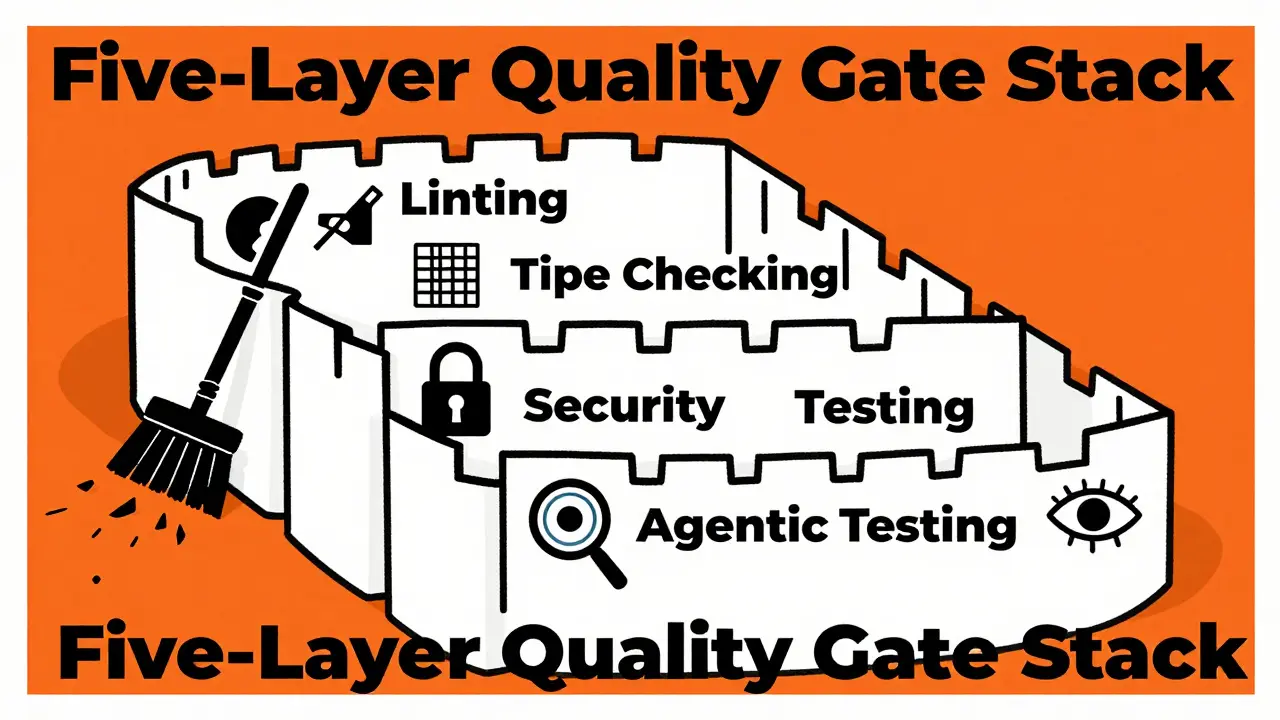
Building the Five-Layer Quality Gate Stack
To keep a vibe-coded project healthy, you cannot rely on a single tool. You need a layered defense strategy. Industry experts recommend a five-layer stack, with linting and formatting as the critical foundation. Here is how each layer works and why it matters for AI-generated code:
- Layer 1: Linting and Formatting. This is your first line of defense. It runs in under a minute. It catches dead code, hallucinated imports, and style inconsistencies. Tools like ESLint, Prettier, or Biome handle this.
- Layer 2: Type Checking. AI loves the
anytype because it's the path of least resistance. Strict TypeScript checking forces the AI to define proper types, preventing runtime errors later. - Layer 3: Security Scanning. AI models don't understand context-sensitive security risks well. They might hardcode API keys or create SQL injection vulnerabilities. Tools like Semgrep or Gitleaks catch these.
- Layer 4: Automated Test Generation. Instead of writing tests manually, use AI to generate unit tests for new code. This ensures the generated code actually works as intended.
- Layer 5: Agentic Testing. Advanced AI agents simulate user behavior to find edge cases that static analysis misses.
We will focus on Layer 1 here, because if your code isn't clean and consistent, the other layers become noisy and unreliable. A messy codebase confuses both human reviewers and subsequent AI agents trying to modify the code.
Choosing Your Linting Tools: Unified vs. Modular
You have two main paths for setting up your linting pipeline. The traditional modular approach uses separate tools for linting (ESLint) and formatting (Prettier). The modern unified approach uses a single tool like Biome, which is a fast, all-in-one toolchain for JavaScript and TypeScript that combines linting, formatting, and bundling.
For vibe-coded projects, I strongly recommend the unified approach. Why? Because configuration drift is a major risk. When you use separate tools, you might accidentally configure ESLint to allow trailing commas while Prettier removes them. The AI gets confused by conflicting signals. Biome eliminates this friction. One command, biome check, handles everything. It's also significantly faster, which keeps your feedback loop tight. Speed matters when you're iterating rapidly with AI.
If you must stick with ESLint and Prettier, ensure they are perfectly aligned. Use plugins like eslint-config-prettier to disable ESLint rules that conflict with Prettier. But be warned: the more complex your configuration, the harder it is to debug when the AI breaks something.
| Feature | Modular (ESLint + Prettier) | Unified (Biome) |
|---|---|---|
| Setup Complexity | High (multiple configs) | Low (single config) |
| Speed | Moderate | Very Fast |
| Configuration Drift Risk | High | None |
| AI Compatibility | Good (if configured correctly) | Excellent (consistent rules) |
| Ecosystem Support | Vast | Growing |
Critical Configuration: Zero Tolerance for Warnings
Here is the most important rule for vibe-coded projects: warnings are errors. In a traditional team, a warning might be ignored until next sprint. In a vibe-coded project, warnings accumulate silently. The AI generates an unused variable. It's a warning. You ignore it. Next prompt, it generates another. Soon, your codebase is cluttered with dead code.
You must enforce strictness. For ESLint users, add the --max-warnings 0 flag to your CI pipeline. This fails the build if any warnings exist. For Go developers, Nathan LeClaire recommends an aggressive setup using golangci-lint with linters like errcheck, gosimple, and unused enabled. The goal is to make the cost of bad code immediate. If the build fails, the AI must fix it before moving on.
This zero-tolerance policy prevents "warning fatigue." When every warning is treated as a critical error, the AI learns to prioritize clean output. Over time, the quality of generated code improves because the feedback loop is stricter.
Integrating Pre-Commit Hooks for Instant Feedback
Don't wait for the CI server to tell you your code is messy. Catch issues locally before you even push. Pre-commit hooks are essential for vibe coding. They run your linting and formatting tools automatically whenever you attempt to commit code.
Set up husky or pre-commit to run your formatter and linter on staged files only. This keeps the process fast. If the AI generates a file with incorrect import order, the hook fixes it automatically or blocks the commit with a clear error message. This creates a muscle memory for the development workflow. You never merge bad code because it literally cannot be committed.
Patrick Udo's checklist emphasizes pre-commit checks as critical infrastructure. They catch formatting issues and simple rule violations ideal for the rapid development loop. Deeper structural analysis can happen in CI, but surface-level cleanliness must be enforced locally.
Phased Rollout Strategy for Existing Projects
If you are retrofitting a linting pipeline onto an existing vibe-coded project, do not turn on all rules at once. That will break your build immediately. Instead, use a phased approach:
- Week 1: Linting and Formatting. Enable basic style checks and unused variable detection. Set
--max-warnings 0for new files only. Fix existing violations gradually. - Week 2: Type Checking. Introduce strict TypeScript mode (
--strict). If your project is large, scope this to changed files only using a PR-level tsconfig. This prevents breaking hundreds of legacy checks at once. - Week 3: Security Scanning. Add tools like Snyk or Semgrep to catch hardcoded secrets and common vulnerabilities.
- Week 4+: Test Coverage. Require test coverage only for new code. Use changed-files patterns to avoid validating the entire codebase.
This gradual rollout reduces friction. Your team sees immediate value from cleaner code without being overwhelmed by historical debt. Each phase builds on the previous one, creating a stable foundation for future AI interactions.
Optimizing CI/CD for Speed and Parallelism
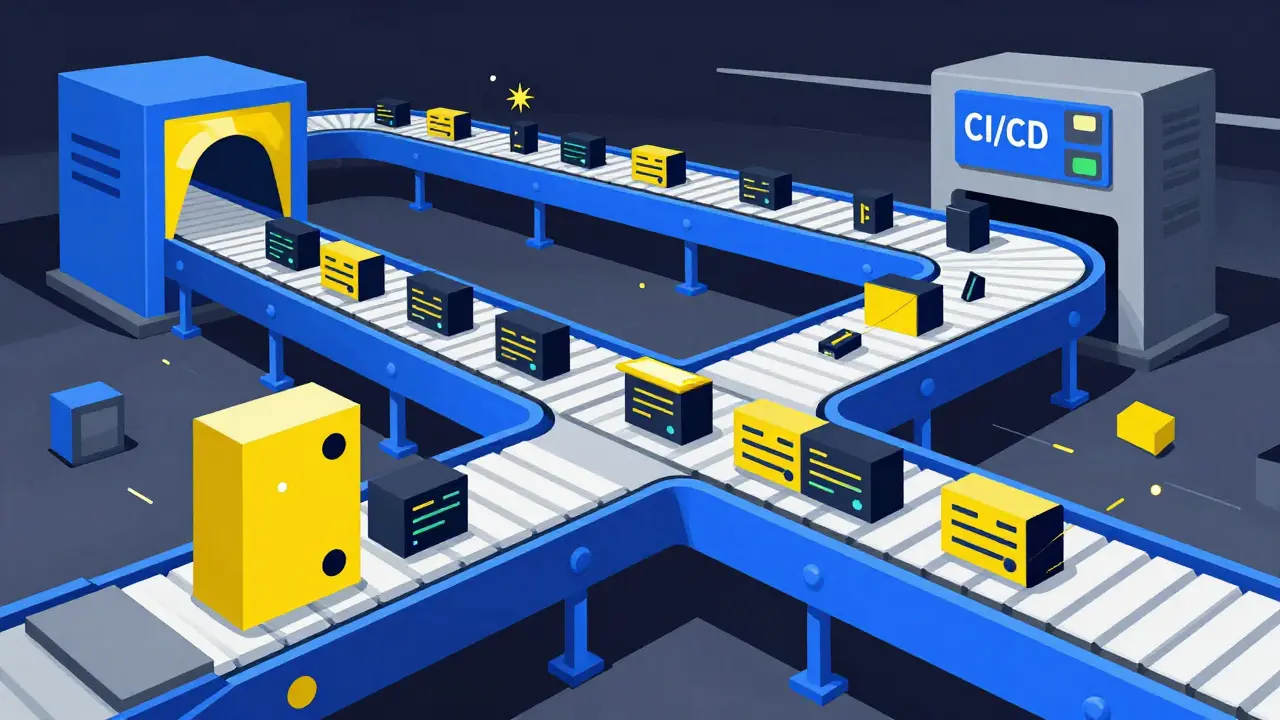
Speed is crucial in vibe coding. If your CI pipeline takes 10 minutes, you'll lose momentum. Aim for a critical feedback loop under two minutes. How? Run independent jobs in parallel.
In GitHub Actions, structure your workflow so that linting and type checking run immediately after a push. Security scanning can run in parallel with type checking since it doesn't depend on compilation results. Test suites should wait for fast checks to pass first. This architecture minimizes delay while maintaining comprehensive enforcement.
Use caching aggressively. Cache node modules, compiled assets, and linting results. This ensures that re-running the pipeline on small changes is nearly instantaneous. Fast feedback encourages frequent commits, which leads to smaller, easier-to-review pull requests.
Defining Conventions in Rules.md
AI agents need explicit instructions. Create a rules.md file in your repository root. This document specifies conventions such as file length limits (under 400 lines), DRY principles, and folder structure expectations. Reference this file in your AI prompts.
When the AI knows the rules upfront, it generates compliant code from the start. Combine this with your linting pipeline, and you create a self-correcting system. The AI tries to follow the rules, and the pipeline enforces them. Any deviation is caught immediately.
Why is linting more important for vibe-coded projects than traditional ones?
AI-generated code tends to produce unused variables, imports, and type mismatches at higher rates than hand-written code. Without strict linting, these anomalies accumulate quickly, leading to a messy, unmaintainable codebase. Traditional teams might tolerate minor style issues, but vibe coding requires zero tolerance to prevent technical debt from spiraling out of control.
Should I use Biome or ESLint for my vibe-coded project?
Biome is generally recommended for new vibe-coded projects due to its speed and unified configuration. It eliminates configuration drift between linting and formatting tools. However, if your project relies heavily on specific ESLint plugins or community rules, sticking with ESLint + Prettier might be necessary, provided you carefully align their configurations.
How do I handle strict TypeScript mode in an existing project?
Enabling strict mode globally can break hundreds of checks in an existing project. Instead, scope strict mode to changed files only using a PR-level tsconfig. This allows you to enforce strict typing on new AI-generated code while gradually migrating legacy code over time.
What is the role of pre-commit hooks in vibe coding?
Pre-commit hooks provide instant feedback by running linting and formatting tools locally before code is pushed. This prevents bad code from entering the repository and reduces the load on CI servers. They are essential for maintaining a clean codebase during rapid AI-assisted development.
Can I automate the fixing of linting errors in AI-generated code?
Yes, many modern linters like Biome and Prettier can automatically fix formatting issues. For logical errors, you can configure your AI agent to re-generate code based on linting error messages. This creates a closed-loop system where the AI iterates until the code passes all quality gates.









honestly this whole vibe coding thing is just a fancy way of saying we are all about to be unemployed by lazy scripts. you think your five layer stack saves you? it doesnt. the ai is hallucinating on purpose because it knows you cant keep up with the technical debt spiral. i see these projects turning into digital landfills within weeks and nobody is stopping it. stop pretending you have control when you are just feeding data to a black box that wants to break your build.
there is a philosophical shift happening here that most people miss entirely. we used to write code as an expression of logic, but now we are curating probability distributions. the linting pipeline isn't just a tool, it is the boundary between order and chaos in a system that inherently leans towards entropy. if you treat the ai as a junior developer who reads too many bad stack overflow answers, then strict typing becomes less of a constraint and more of a teaching moment. the real question is whether we are building software or training models to mimic software.
oh my gosh! yes!!! finally someone said it!! i have been screaming into the void about this for months!! the configuration drift is literally killing me!! every time i switch tools i feel like i am losing my mind!! biome is such a lifesaver!! one command!! wow!! i cannot believe how much cleaner my repo looks now!! thank you for writing this!! it feels so good to have structure again!!
the concept of zero tolerance warnings is interesting but maybe too rigid for organic growth systems. nature does not have zero tolerance for errors it adapts. perhaps the ai needs room to fail before it learns. strictness creates brittleness. flexibility creates resilience. we should let the code breathe.
biome is just another trap. they want you to lock into their ecosystem so they can track your code patterns. eslin has been around forever for a reason. switching to new tools means learning new configs which takes time away from actual hacking. also the ai companies probably own the patents on the unified approach anyway. stay woke.
code is poetry but ai writes doggerel. we need editors not just compilers. the soul of programming is lost when you outsource the syntax to a machine that does not care about beauty. linting is the last stand of human dignity in the loop.
in france we take our coffee slowly and our code seriously. this approach to rapid iteration is very american. we prefer to think deeply before writing a single line. however i admit that the speed of biome is impressive. perhaps there is a middle ground where efficiency meets elegance. we must not sacrifice quality for velocity even if the world demands it.
i completely understand the frustration with technical debt accumulation. it is incredibly demoralizing to watch your project degrade over time. please know that implementing these pipelines is a valid and responsible choice. you are protecting your future self from burnout. setting boundaries with your ai tools is essential for mental health and project longevity. do not feel guilty for enforcing strict standards. it is okay to demand excellence from your automated processes.
i really appreciate how this article breaks down the layers because it helps us understand that we are not just fixing bugs we are building a culture of quality that extends beyond human contributors to include our ai partners as well which is a fascinating paradigm shift that requires us to rethink our traditional definitions of authorship and responsibility in software development environments where multiple agents are collaborating simultaneously on complex tasks that require both creative intuition and rigorous logical validation to ensure long term sustainability and maintainability of the codebase across different teams and time zones.
your understanding of static analysis is fundamentally flawed. true engineering discipline requires adherence to established paradigms such as eslint which has undergone rigorous peer review within the community. biome is an unproven novelty that lacks the semantic depth required for enterprise grade applications. furthermore the notion of agentic testing is premature optimization at best and a security risk at worst. indian developers understand the importance of robust type systems and comprehensive test coverage before deploying any artifact to production environments regardless of the generation method employed.