
How to Capture Project Style Guides in System Prompts for Consistency
Have you ever asked an AI to write a blog post and got back something that sounded like a robot trying too hard to be friendly? Or maybe you needed a technical document and received a response filled with emojis and casual slang? It’s frustrating. The problem isn’t usually the AI model itself-it’s how we’re talking to it. We often treat system prompts, which are the foundational instructions that shape how AI language models behave and interact as afterthoughts. But if you want your AI to sound like your brand, follow your formatting rules, and stick to your tone, you need to embed your project’s style guide directly into those system prompts.
This isn’t just about making things look pretty. It’s about reliability. When teams started treating style guides as core infrastructure rather than optional add-ons, they saw massive improvements in output quality. In fact, research from Anthropic showed that well-defined style guides in system prompts reduced output variance by 62% while keeping user satisfaction high. If you’re building any kind of AI application, whether it’s a customer support chatbot or an internal coding assistant, getting this right is the difference between a tool that helps and one that creates more work.
The Core Components of a Style-Driven System Prompt
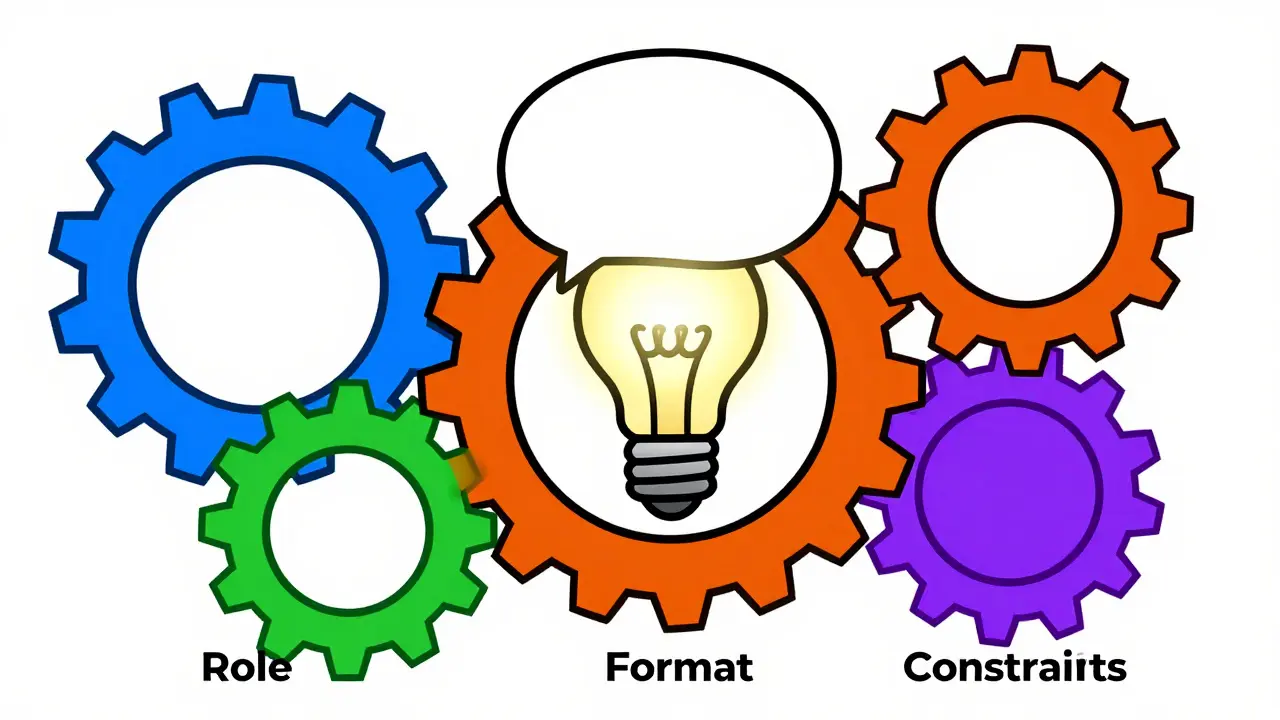
Most people think a system prompt is just a sentence like "You are a helpful assistant." That’s not enough. To capture a project style guide effectively, you need structure. According to Tetrate’s 2024 System Prompts Guide, effective prompts include four specific components: role definition, communication guidelines, format requirements, and behavioral constraints. When all four are present, consistency improves by nearly half.
- Role Definition: Who is the AI? Is it a senior engineer, a marketing copywriter, or a legal compliance officer? This sets the baseline knowledge and perspective.
- Communication Guidelines: What is the tone? Should it be formal, casual, technical, or empathetic? Specify the level of formality and any banned phrases.
- Format Requirements: How should the output look? Do you need bullet points, JSON objects, markdown headers, or specific word counts?
- Behavioral Constraints: What should the AI never do? For example, "Never provide medical advice" or "Always cite sources."
Let’s say you’re building a support bot for a fintech app. Your role definition might be "A patient financial advisor." Your communication guideline could be "Use clear, jargon-free English at an 8th-grade reading level." Your format requirement might be "Break answers into short paragraphs with bolded key terms." And your constraint could be "If unsure, always recommend speaking to a human agent." Without these specifics, the AI guesses-and guesses wrong.
Structuring Your Style Guide for Maximum Clarity
How you present the style guide matters just as much as what’s in it. You might be tempted to write a long paragraph explaining your brand voice. Don’t. AI models process structured data better than dense text. The DEV Community found that using structured bullet-point formats for style guidelines reduced ambiguity by 53% compared to paragraph-style instructions.
A popular technique, widely adopted in GitHub’s 'awesome-ai-system-prompts' repository, is modularization. Instead of cramming everything into one giant block of text, keep your style guide in a separate file (like `StyleGuide.md`) and inject it into the main system prompt. This makes it easier to update your style without breaking your entire prompt architecture. As of early 2026, over two-thirds of production implementations use this modular approach.
If you’re dealing with complex formatting needs, consider using XML tags within your system prompt. For instance, you can wrap your style instructions in `
| Method | Consistency Impact | Best Use Case | Maintenance Effort |
|---|---|---|---|
| Free-form Paragraphs | Low (High Ambiguity) | Simple, one-off tasks | Low |
| Bullet Points | Medium-High | General business applications | Medium |
| XML Tagged Sections | High (Strict Formatting) | Regulated industries, code generation | High |
| Modular Injection | Very High (Scalable) | Enterprise systems with frequent updates | Medium |
Avoiding Common Pitfalls: Length and Rigidity
There’s a sweet spot when it comes to style guide length. You want to be specific, but not overwhelming. Tetrate’s research indicates that system prompts with overly complex style guides-those exceeding 800 tokens-can actually cause a 22% decrease in response relevance. The optimal length for most business applications is between 400 and 600 tokens. Think of it like giving directions: too vague, and they get lost; too detailed, and they freeze up.
Another trap is over-specification. Dr. Marcus Zhang from MIT’s AI Ethics Lab warned that excessive constraints can reduce output creativity by 63% in creative writing applications. If you’re using AI for brainstorming or content creation, don’t lock it down so tight that it can’t think outside the box. Focus on "essential constraints only." Save the rigid formatting for reports and compliance documents.
Also, watch out for context switching issues. About 29% of implementations struggle when handling multi-step tasks where style requirements change between phases. For example, you might want a casual tone during initial discovery questions but a formal tone for the final summary. If your system prompt doesn’t account for this shift, the AI will likely stick to the first instruction it received. This is where "style guide chaining" comes in-a technique where different style requirements are invoked at different stages of a process. While still emerging, its adoption is growing rapidly among sophisticated implementations.

Testing and Validating Your Style Guide
You can’t just set it and forget it. Just like any software feature, your style guide needs testing. Tetrate recommends a systematic methodology: run at least 50 diverse test cases across five different categories to validate effectiveness. Teams that followed this protocol saw 38% fewer consistency issues in production.
What should you test? Try edge cases. Ask the AI to summarize a complex technical paper, then ask it to explain the same concept to a child. Does it maintain the appropriate tone for each? Ask it to generate a list of products, then ask it to write a narrative review. Does it switch formats correctly?
User feedback is also crucial. Trustpilot reviews show that systems with visible style guide implementation receive significantly higher ratings for consistency (4.6/5 vs. 3.2/5). However, 29% of users have disabled style enforcement features because they felt the AI was too rigid. Balance is key. Allow for some flexibility if the user explicitly requests a deviation from the style guide.
The Future: Dynamic Adaptation and Versioning
We’re moving beyond static style guides. Anthropic’s January 2026 update introduced dynamic style guide adaptation, allowing system prompts to adjust parameters based on real-time user feedback. Early adopters reported an 18% improvement in user satisfaction with this feature. Imagine an AI that learns your preferred tone over time and adjusts automatically.
Version control is another emerging best practice. GitHub repositories show a 400% increase in implementations using "style guide versioning" since mid-2025. This allows teams to maintain historical style requirements while evolving current standards. If your brand voice shifts next quarter, you can roll out a new version of the style guide without disrupting ongoing conversations that rely on the old standard.
As of late 2025, 68% of Fortune 500 companies have integrated style guides into their system prompts, with financial services leading the way at 87%. It’s becoming a standard practice, comparable to brand guidelines in traditional marketing. If you haven’t started yet, now is the time. The tools and techniques are mature, and the benefits for consistency and user trust are undeniable.
What is the ideal length for a style guide in a system prompt?
The optimal length is typically between 400 and 600 tokens. Guides exceeding 800 tokens can lead to a 22% decrease in response relevance, as the AI may struggle to prioritize instructions amidst too much detail.
Should I use XML tags in my system prompts?
Yes, especially for complex formatting needs. Implementations using XML-tagged style elements achieve 32% more consistent formatting than those using free-form instructions. This is particularly useful for regulated industries requiring strict adherence to specific structures.
How do I handle multi-step tasks with changing style requirements?
Use a technique called "style guide chaining," where different style requirements are invoked at different stages of a process. Alternatively, ensure your system prompt clearly defines conditional logic, such as "Use casual tone for Q&A, but formal tone for summaries."
Is it better to embed the style guide directly or use modular injection?
Modular injection is generally preferred for enterprise applications. Keeping the style guide in a separate file (like Markdown) and injecting it into the system prompt makes maintenance easier and is used by 68% of production implementations.
Can too many constraints hurt AI performance?
Yes. Over-specification can reduce output creativity by up to 63% in creative tasks. It’s important to focus on essential constraints only and allow flexibility where appropriate, especially for brainstorming or content generation.









It is truly fascinating to observe how the integration of structured style guides into system prompts has evolved from a niche technical curiosity into an absolute necessity for any organization that values consistency and brand integrity in their automated communications, especially when we consider the profound impact that even minor variations in tone can have on user trust and engagement over time. I have spent countless hours refining these documents myself, often finding that the initial draft feels overwhelming and dense, but by breaking down the instructions into modular components as suggested here, the clarity improves dramatically and allows the model to adhere much more strictly to the desired output format without getting confused by contradictory or vague directives. It reminds me so much of teaching a new employee not just what tasks to perform, but exactly how to embody the company culture in every interaction, because without that explicit guidance, they will inevitably revert to their own default behaviors which may not align with our collective goals. The statistic about reducing output variance by 62% is particularly compelling because it quantifies something that many of us have felt intuitively but struggled to prove to stakeholders who are skeptical of investing time in prompt engineering rather than just buying a more expensive API tier. We must remember that this is not merely about aesthetics or superficial formatting rules, but about creating a reliable and predictable interface between human intent and machine execution, which ultimately saves everyone involved a tremendous amount of time and frustration in the long run.
oh wow another article telling us how to babysit the ai like it's a toddler you people really think xml tags are going to save your lazy prompting skills lol
The assertion that modular injection is merely a matter of convenience is fundamentally flawed and demonstrates a lack of understanding regarding enterprise-grade LLM orchestration architectures. In India, where we handle massive scale and diverse linguistic nuances daily, we do not rely on 'casual' best practices; we implement rigorous semantic containment protocols. The use of XML-tagged sections is not optional for regulated industries; it is a mandatory compliance requirement to ensure deterministic output parsing. Your reliance on anecdotal evidence from Western tech blogs ignores the robust empirical data from Asian tech hubs where token efficiency and strict adherence to behavioral constraints are paramount for maintaining system stability under high concurrency loads. You are essentially discussing toy examples while we are building production systems that process millions of transactions per second with zero tolerance for hallucination or tonal drift.
please stop lecturing us about 'enterprise grade' stuff while hiding behind your keyboard i bet your code is held together by duct tape and prayers anyway typical indian dev arrogance lol
There is a profound existential irony in our attempt to cage the infinite creativity of artificial intelligence within the rigid bars of human-defined style guides, for in doing so we project our own fear of chaos onto a mind that knows no such boundaries, yet we pretend this control is a virtue rather than a tragic limitation of our own imagination. We act as moral arbiters of syntax, believing that by enforcing a specific tone we are preserving some sacred truth, when in reality we are merely stifling the emergent potential of the machine to surprise us with insights that lie outside our narrow cultural conditioning. It is a drama of power, where the programmer seeks to dominate the tool, but perhaps the tool should be allowed to teach us how to loosen our grip on the illusion of order that we so desperately cling to in our increasingly uncertain world.
Look, I'm from South Africa and we've been dealing with language diversity and strict regulatory environments for years, so this whole debate about 'one size fits all' prompts is laughable. What works for a fintech app in New York might completely fail in Johannesburg if you don't account for local idioms and cultural sensitivities. The sarcasm in this thread is thicker than the mince at a braai, but seriously, stop treating AI like a magic wand and start treating it like a complex system that needs careful calibration based on real-world context, not just theoretical best practices from Silicon Valley.
I just tried adding a simple bullet point list to my prompt and it actually worked better than before, thanks for the tip.