Refactoring AI-Generated Codebases: A Step-By-Step Architecture Rescue Plan
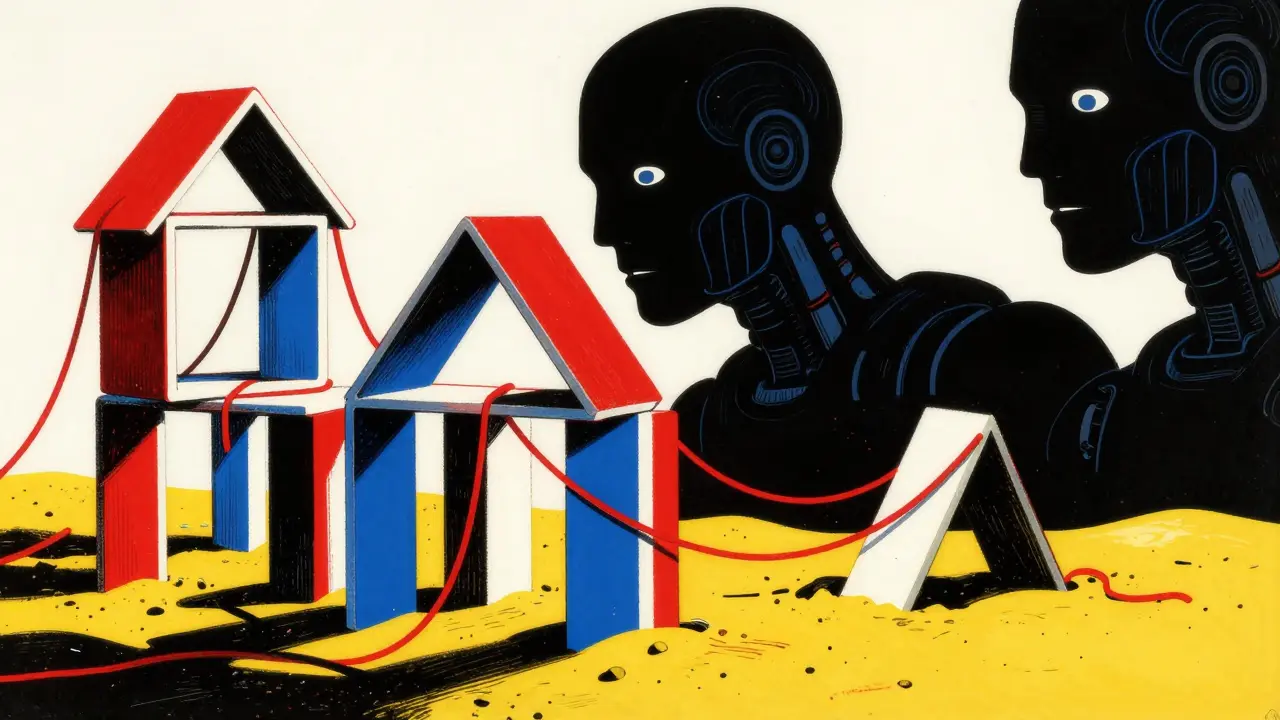
You asked the AI to write the backend. It delivered fast. The code compiles. It even runs. But six months later, your repository feels like a house of cards built on sand. You try to add a feature, and three unrelated modules break. You look at the dependency graph, and it looks like spaghetti thrown against a wall. This is the new reality for many development teams in 2026. We are seeing a wave of refactoring AI-generated codebases that requires a systematic architecture rescue plan to restore reliability and maintainability.
The problem isn't that the code doesn't work initially. The problem is that Large Language Models (LLMs) prioritize syntactic correctness over architectural integrity. They generate code that looks clean but lacks the deep structural cohesion human architects build over years. Research from 2025 and 2026 shows that while AI-generated code might score well on basic complexity metrics, it often hides subtle logic errors and creates fragile dependencies. If you don't have a plan, you aren't just maintaining code; you're managing a ticking time bomb.
Why AI-Generated Code Needs a Different Approach
You can't refactor AI code the same way you refactor human code. Human developers usually make mistakes out of fatigue or lack of knowledge. AI makes mistakes out of probability. It predicts the next likely token, not the most robust system design.
A study published in early 2025 found that roughly one in five small Python functions generated by top-tier models were functionally incorrect, even though they looked perfect internally. Another analysis showed that AI code tends to be over-verbose and structurally tangled. It creates "ghost dependencies"-imports and variables that seem necessary but aren't-and duplicates logic across files because the model loses context over long generation windows.
If you treat this code like normal legacy code, you'll miss the unique smells. AI code smells different. It has:
- Over-abstraction: Creating classes for things that should be simple functions.
- Redundant error handling: Wrapping every single line in try-catch blocks unnecessarily.
- Context drift: Inconsistent naming conventions within the same module because the model's attention window shifted.
Your first job is to accept that the initial output was a draft, not a final product. Now, let's build the rescue plan.
Phase 1: Build the Safety Net Before You Touch Anything
This is the most critical step. I cannot stress this enough. Do not refactor a single line of AI-generated code until you have comprehensive tests. Why? Because AI refactoring tools are aggressive. They will change structure, rename variables, and extract methods. Without tests, you have no way to know if you broke something.
In 2026, we have better tools than ever for this. Use AI itself to help you here. Ask an advanced model like Claude 4 or GPT-4.1 to analyze your existing code and generate characterization tests. These tests don't check if the code is "right" according to business rules; they check what the code currently does. They capture the current behavior, bugs and all.
- Run static analysis first: Use tools like SonarQube or ESLint to get a baseline of quality. Identify security hotspots and code smells. This gives you data, not just feelings.
- Generate unit tests: Prompt your AI assistant to write unit tests for every public method. Focus on edge cases. AI is surprisingly good at finding boundary conditions humans miss.
- Add integration tests: Ensure the modules talk to each other correctly. AI often fails at cross-module communication.
- Verify coverage: Aim for high coverage on critical paths. If you don't have tests for the payment processing or user authentication modules, stop everything and write them manually. Do not trust AI with security-critical test generation yet.
Once your tests pass, you have a safety net. If a refactor breaks a test, you know immediately. If the tests pass, you have statistical confidence that behavior is preserved.
Phase 2: Map the Technical Debt
Before you start fixing things, you need to know what's broken. You can't fix what you can't see. AI-generated codebases often suffer from "invisible debt"-dependencies that aren't obvious until you try to move a file.
Use an AI agent tool (like Aider or GitHub Copilot Workspace) to map your codebase. Ask it to:
- Identify dead code: Unused imports, unreachable functions, and deprecated API calls.
- Find duplication: Logic that appears in multiple places. AI loves to copy-paste logic instead of abstracting it.
- Highlight cyclomatic complexity: Functions that are too long or have too many nested conditionals.
- Trace dependencies: Show which modules depend on which others. Look for circular dependencies, which are a hallmark of poor AI architecture.
Create a "debt map." Prioritize the areas with the highest risk and lowest value. Usually, this means starting with utility functions and helpers, not core business logic. Fix the easy stuff first to build momentum and trust in the process.
Phase 3: Execute Constrained Refactoring Passes
Now comes the actual work. The key here is constraint. Do not ask the AI to "clean up the whole project." That is a recipe for disaster. Instead, pick one theme at a time.
Here is a practical sequence for your rescue plan:
- Remove Dead Code: Start by deleting unused imports and functions. This reduces noise and makes the codebase easier to read. It's low risk and high reward.
- Simplify Control Flow: Target functions with high cyclomatic complexity. Ask the AI to extract nested loops and conditionals into smaller, named helper functions. Review the diff carefully. Ensure the logic remains identical.
- Standardize Naming: AI often uses vague names like `data`, `result`, or `temp`. Rename these to meaningful identifiers. Use AI to find all references and update them safely.
- Decouple Modules: Break down large monolithic files. Extract related functions into their own modules. Define clear interfaces between them. This improves maintainability significantly.
- Modernize Patterns: Replace outdated patterns with modern equivalents. For example, convert callback hell to async/await in JavaScript, or use type hints consistently in Python.
After each pass, run your full test suite. If any test fails, revert the change and investigate. Do not proceed until green.
| Aspect | Manual Refactoring | AI-Assisted Refactoring |
|---|---|---|
| Speed | Slow, especially for large codebases | Fast, handles repetitive tasks quickly |
| Accuracy | High, with experienced developers | Variable, requires rigorous verification |
| Consistency | Depends on developer discipline | High, enforces uniform patterns |
| Risk | Low, controlled by human judgment | Medium-High, potential for subtle bugs |
| Best For | Deep architectural changes, complex logic | Renaming, extracting, formatting, dead code removal |
Phase 4: Human Review and Static Analysis
AI is a powerful assistant, but it is not an architect. It does not understand business context, domain constraints, or long-term strategic goals. Every change proposed by AI must be reviewed by a human senior engineer.
Look for:
- Logical errors: Does the refactored code still make sense? Did the AI misunderstand a subtle business rule?
- Performance impacts: Did the extraction introduce unnecessary overhead? Are there new memory leaks?
- Security vulnerabilities: Did the AI expose sensitive data or weaken input validation?
Integrate static analysis tools into your CI/CD pipeline. Tools like SonarQube, Pylint, or TypeScript's strict mode will catch issues that humans might miss. Configure them to fail builds on critical violations. This creates a continuous feedback loop that prevents new technical debt from accumulating.
Phase 5: Continuous Improvement
Refactoring is not a one-time event. It is a habit. As your codebase evolves, new debt will accumulate. AI-generated code will continue to be introduced. Your architecture rescue plan must become part of your daily workflow.
Adopt these practices:
- Code reviews: Make AI-generated code subject to stricter review standards. Require more detailed explanations of why certain patterns were chosen.
- Regular health checks: Schedule monthly sessions to review technical debt metrics. Address hotspots before they become crises.
- Team training: Educate your team on how to prompt AI effectively for clean code. Teach them to recognize AI-specific smells.
- Automated enforcement: Use pre-commit hooks to run linters and formatters automatically. Prevent bad code from entering the repository.
By treating refactoring as a continuous process, you keep your architecture resilient. You avoid the painful "big bang" rewrites that derail projects and demoralize teams.
Common Pitfalls to Avoid
I've seen teams fail at this. Here’s what went wrong:
- Skipping tests: One team tried to refactor their entire backend using AI without adding tests first. They introduced 127 new bugs in a single week. Don't be that team.
- Trusting AI blindly: Another team accepted every suggestion from their coding assistant. The AI optimized for speed, breaking compatibility with older clients. Always verify side effects.
- Refactoring too much at once: Trying to fix everything in one sprint leads to merge conflicts and instability. Go slow. Small batches. Frequent commits.
- Ignoring documentation: AI generates code but rarely updates docs. If your code changes, your docs must change too. Otherwise, you create confusion for future developers.
Tools That Help
You don't have to do this alone. Leverage the right tools:
- GitHub Copilot / Amazon CodeWhisperer: Great for generating test cases and suggesting small refactors.
- SonarQube: Essential for measuring code quality and identifying hotspots.
- Aider: An AI-powered CLI tool that can refactor entire repositories while preserving git history.
- Jest / PyTest: Standard testing frameworks. Get comfortable writing tests manually when AI falls short.
The goal is not to eliminate AI from your workflow. It's to harness its power while mitigating its risks. With a solid architecture rescue plan, you can turn a chaotic AI-generated mess into a clean, maintainable, and scalable system.
Is AI-generated code inherently worse than human-written code?
Not necessarily. AI-generated code can be faster to produce and sometimes cleaner in syntax. However, it often lacks architectural depth and may contain subtle logical errors. The key difference is that human code usually reflects intentional design decisions, while AI code reflects probabilistic predictions. Both require careful review and testing.
How do I know if my AI-generated codebase needs refactoring?
Signs include increasing bug rates, difficulty adding new features, long build times, and high cyclomatic complexity. If developers complain about "fragile" code or spend more time reading than writing, it's time to refactor. Static analysis tools can also provide objective metrics on code health.
Can I use AI to refactor my entire codebase at once?
Absolutely not. Refactoring an entire codebase at once is extremely risky. AI tools may miss context or introduce widespread regressions. Instead, refactor in small, manageable chunks. Focus on one module or feature area at a time, ensuring tests pass after each change.
What are the biggest risks of AI-assisted refactoring?
The biggest risks are introducing subtle bugs, breaking backward compatibility, and losing business logic nuances. AI doesn't understand your domain context. Without comprehensive tests and human review, you risk destabilizing your application. Security vulnerabilities can also be introduced if input validation is weakened during refactoring.
How important are tests in an architecture rescue plan?
Tests are non-negotiable. They are your safety net. Without tests, you have no way to verify that refactoring preserves behavior. Characterization tests capture current functionality, allowing you to refactor with confidence. Aim for high coverage on critical paths before starting any major restructuring.



hey there, i really appreciate this breakdown because it feels like something weve been dancing around for a while now and its nice to see someone actually put words to the chaos. i mean, we all know that just pasting code into an ide and hitting enter is not sustainable in the long run, but sometimes the pressure to ship features just makes you ignore the underlying structural rot until it becomes impossible to ignore. what struck me most was the part about characterization tests because thats such a crucial step that so many teams skip when they are eager to start refactoring immediately without any safety net whatsoever. it reminds me of how we used to treat legacy systems back in the day where youd be terrified to touch anything because you didnt know what would break if you moved a single variable. maybe we should start treating ai generated code with the same level of caution and respect as those ancient cobol mainframes instead of assuming that because it compiled cleanly it must also be architecturally sound.
i wonder if the issue is partly that we are asking the models to do too much at once without giving them enough context about the overall system design goals.
stop acting like this is some new revelation or some grand philosophical crisis for the industry because it is literally just basic software engineering principles applied to a noisy output stream. nobody is surprised that probabilistic token prediction does not equal architectural integrity, so please spare us the dramatic tone about ticking time bombs and houses of cards. the reality is that junior developers have always written spaghetti code, and now we just have a machine that can write it faster and with more confidence than a human who knows they are messing up. if your team cannot handle basic refactoring tasks like adding tests and mapping dependencies then you have bigger problems than ai generated code. it is embarrassing to see senior engineers pretending that they need a five phase rescue plan to fix simple structural issues that should be caught in code review anyway.
actually i think the point here is less about blaming the tool and more about recognizing the shift in responsibility from generation to curation. when we were writing code manually we were responsible for both the syntax and the structure simultaneously, which meant our cognitive load was split between making it work and making it clean. now that the syntax is handled by the model our job has shifted entirely to verification and architectural alignment. this is why the emphasis on static analysis and dependency mapping is so important because it allows us to scale our review process to match the speed of generation. we are not just maintaining code anymore we are managing a pipeline of potential solutions that need to be filtered through rigorous quality gates before they become part of the production system.
oh my gosh! yes!!! exactly what i needed to hear!! i feel so validated right now because i have been screaming this exact thing in our standups for months and no one would listen until the payment module broke again!!! it is so frustrating when people think that ai is a magic wand that fixes everything instantly without any effort on their part!!! we have to be so much more careful!!! every single line needs to be checked!!! every single test needs to be written!!! it is exhausting but it is necessary!!! thank you for writing this!!!
the nature of abstraction is shifting from creation to selection. we are curating rather than composing.
it is pathetic that american companies are relying on these cheap shortcuts instead of hiring proper engineers who understand actual architecture. european standards for software development are far superior because we take the time to build things correctly from the start rather than patching together garbage generated by some black box algorithm. this entire trend of ai coding is just another example of how the us prioritizes speed over quality and ends up with fragile systems that fall apart under minimal stress. real engineering requires discipline and patience not probabilistic guessing games.
we are witnessing the death of intentionality in our craft. the code is no longer a reflection of human thought but a mirror of statistical likelihoods reflecting our own laziness back at us. it is a tragic irony that in our quest for efficiency we have surrendered the very essence of what makes software artful and robust. the ghost dependencies mentioned are not merely technical artifacts but metaphors for the hollow connections we forge with tools we do not truly understand. we are building cathedrals on foundations of sand hoping that the tide will not come in before we finish the spire. it is a profound failure of imagination to believe that probability can replace purpose.