
Tensor Parallelism for LLM Inference: A Practical Guide to Multi-GPU Deployment
You’ve trained a massive language model. It’s brilliant. But when you try to run it in production, your single GPU chokes. The memory spikes, the latency crawls, and your users stare at loading screens. This is the bottleneck facing every AI engineer today: models are growing faster than hardware can keep up.
The solution isn’t always buying a bigger server. Often, it’s about splitting the work. Enter Tensor Parallelism, the technique that lets you slice a neural network across multiple GPUs so they compute together as one powerful unit. If you’re deploying large language models (LLMs) in 2026, understanding this strategy is no longer optional-it’s essential.
What Is Tensor Parallelism?
At its core, tensor parallelism is a form of model parallelism. Instead of replicating the entire model on every GPU (like data parallelism does), you split the model itself. Specifically, you divide the weight matrices of individual layers across different devices.
Imagine a giant puzzle. In traditional setups, each worker has a complete copy of the puzzle. With tensor parallelism, you cut each piece horizontally. Worker A gets the top half, Worker B gets the bottom half. They work simultaneously on their sections, then quickly exchange results to finish the picture. This allows you to run models that simply don’t fit into the memory of a single graphics card.
This approach was popularized by NVIDIA Research’s Megatron-LM paper in 2019. Since then, it has become the standard for running billion-parameter models. Frameworks like NVIDIA TensorRT-LLM, Hugging Face Text Generation Inference (TGI), and vLLM all rely on this method to deliver fast inference.
How It Works Under the Hood
To use tensor parallelism effectively, you need to understand how the math splits. The process involves two main communication patterns:
- Column Parallelism: Used for layers like query, key, and value projections (
q_proj,k_proj,v_proj). Here, the input tensor is replicated across all GPUs. Each GPU computes a portion of the output. Afterward, the partial outputs are gathered together. - Row Parallelism: Used for output projection layers (
out_proj). The input is split across GPUs, and each device computes a part of the result. These partial results are then summed up to create the final output.
For example, if you have an attention mechanism with 96 heads and 8 GPUs, tensor parallelism assigns 12 heads to each GPU. No single GPU holds the full 96 heads. This drastically reduces memory usage per device.
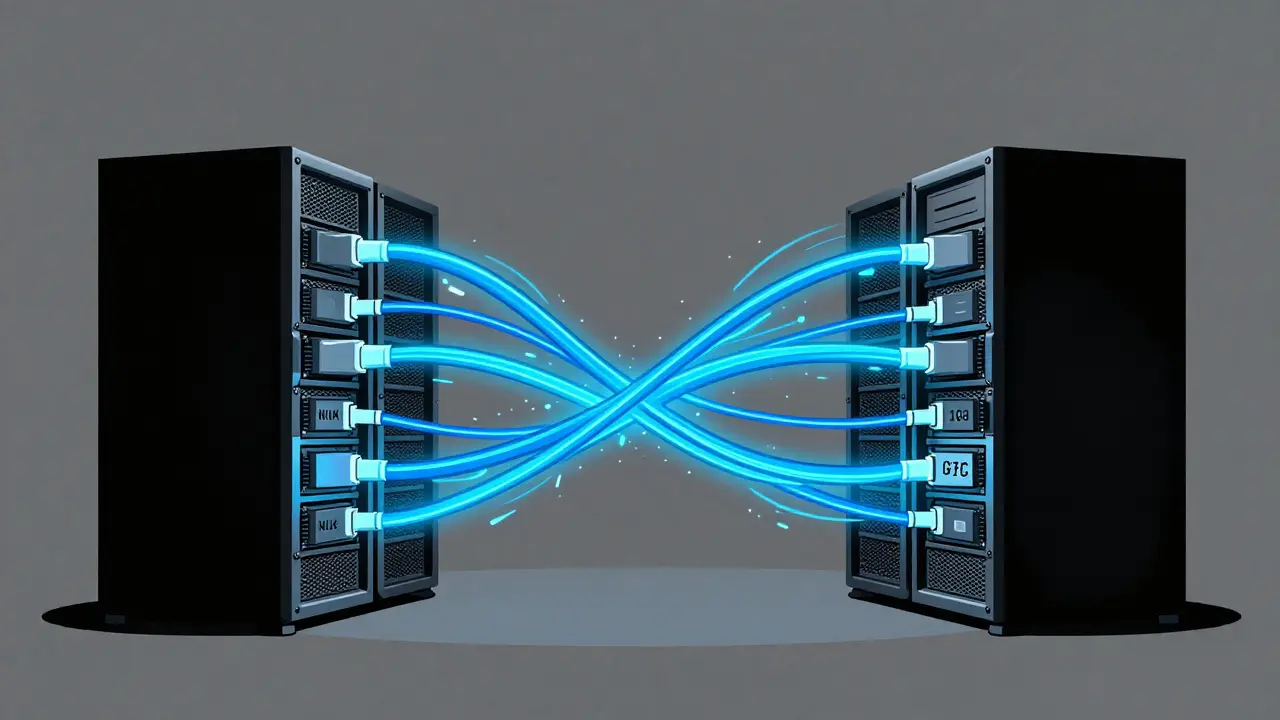
The catch? Communication. Because the GPUs must talk to each other after every layer operation, the speed of that connection matters immensely. If your GPUs are connected via slow PCIe links, the time spent waiting for data will kill your performance. That’s why high-bandwidth interconnects like NVLink are critical.
Tensor Parallelism vs. Other Strategies
Tensor parallelism isn’t the only way to scale. Knowing when to use it-and when not to-is key.
| Strategy | How It Splits | Best For | Main Drawback |
|---|---|---|---|
| Tensor Parallelism | Splits weights within layers | Latency-sensitive, single-node deployments | High communication overhead between GPUs |
| Pipeline Parallelism | Splits layers vertically (stage-by-stage) | Very deep models, multi-node clusters | Pipeline bubbles reduce GPU utilization by 30-60% |
| Data Parallelism | Replicates full model, splits batch data | Increasing throughput/batch size | Does not help if model doesn’t fit in one GPU |
| Expert Parallelism | Assigns specific experts to specific GPUs | Mixture-of-Experts (MoE) models | Complex routing logic required |
Tensor parallelism shines when you need low latency and are working within a single server node. Pipeline parallelism is better for massive models spread across many nodes, but it introduces idle time (bubbles) where GPUs wait for data. Data parallelism helps you handle more requests at once but doesn’t solve the memory problem if the model is too big for one card.
Hardware Requirements and Real-World Performance
You can’t just throw any GPUs together and expect magic. The physical connection between them dictates your success.
NVIDIA’s benchmarks show that NVLink, with its 600 GB/s bidirectional bandwidth, reduces communication overhead by 35% compared to standard PCIe 4.0 (32 GB/s). If you’re using consumer-grade GPUs without NVLink, tensor parallelism may actually slow things down due to synchronization delays.
In a typical setup with four 80GB A100 GPUs, you can run a 70-billion parameter model smoothly. Without tensor parallelism, that model would require over 140 GB of VRAM-a configuration that doesn’t exist on a single card. AMD’s ROCm benchmarks from April 2024 showed that a TP=4 (Tensor Parallel degree of 4) configuration achieved a 3.2x speedup for 13B parameter models compared to single-GPU execution. However, scaling isn’t linear. Communication overhead consumes 15-25% of total inference time, meaning adding more GPUs yields diminishing returns beyond eight devices.
Implementing Tensor Parallelism in Practice
Getting started is easier than you might think, thanks to modern frameworks. Here’s how to approach it:
- Choose Your Framework: vLLM, TGI, and TensorRT-LLM are the top choices. vLLM is great for open-source flexibility, while TensorRT-LLM offers enterprise-grade optimization.
- Set the Parallel Degree: Match your tensor parallel size to your GPU count. If you have 4 GPUs, set
--tensor-parallel-size 4. Don’t underutilize your hardware. - Use Mixed Precision: Run models in FP16 or BF16. This cuts memory usage in half and reduces the amount of data shuffled between GPUs.
- Check Your Topology: Ensure your GPUs are on the same NVSwitch or NVLink domain. Cross-node tensor parallelism is possible but adds significant latency (1.2-2.5ms per sync point vs. 0.3ms on NeuronLink).
A common pitfall is ignoring NCCL timeouts. When GPUs struggle to communicate, processes hang. Adjusting timeout settings in PyTorch or vLLM can prevent these deadlocks. Also, ensure your process placement is topology-aware-placing related processes on physically closer GPUs minimizes cable hops.

When Tensor Parallelism Isn’t Enough
While powerful, tensor parallelism has limits. As models grow wider (more parameters per layer), the communication burden increases. Google Research noted in early 2024 that synchronization points become problematic for extremely wide models.
If you’re hitting walls with pure tensor parallelism, consider hybrid approaches. Combining tensor parallelism with pipeline parallelism (3D parallelism) allows you to scale both width and depth. For Mixture-of-Experts (MoE) models, expert parallelism is often superior because it keeps expert weights local, reducing cross-GPU traffic by 40-60%.
Also, remember that quantization plays a huge role. Compressing your model to 4-bit or 8-bit precision before applying tensor parallelism can make previously impossible deployments feasible. NVIDIA’s recent updates include communication-compressed tensor parallelism, which uses FP8 quantization for intermediate activations, cutting communication volume by 50%.
Conclusion: The Future of LLM Infrastructure
Tensor parallelism is the backbone of modern LLM inference. It turns a cluster of mid-range GPUs into a supercomputer capable of handling frontier models. While it requires careful attention to hardware connectivity and framework configuration, the payoff in performance and accessibility is undeniable. As we move through 2026, expect to see more automated tools that handle these configurations for you, but understanding the fundamentals will always give you the edge in debugging and optimization.
What is the difference between tensor parallelism and data parallelism?
Data parallelism replicates the entire model on each GPU and splits the input data (batch) among them. It increases throughput but doesn't help if the model is too large for one GPU's memory. Tensor parallelism splits the model's weights across GPUs, allowing you to run larger models that exceed single-GPU memory limits.
Do I need NVLink for tensor parallelism?
It is highly recommended. NVLink provides significantly higher bandwidth (600 GB/s) compared to PCIe (32 GB/s). Without high-speed interconnects, the time spent communicating between GPUs can negate the benefits of parallel processing, leading to slower inference speeds.
Which frameworks support tensor parallelism?
Major frameworks include NVIDIA TensorRT-LLM, Hugging Face Text Generation Inference (TGI), and vLLM. All three offer robust implementations optimized for different use cases, from enterprise stability to open-source flexibility.
Can I use tensor parallelism across multiple servers?
Yes, but it comes with trade-offs. Cross-node communication relies on standard networking (like Ethernet or InfiniBand), which has much higher latency than intra-node connections like NVLink. This can lead to significant performance drops. Hybrid strategies combining tensor and pipeline parallelism are often used for multi-node setups.
How do I determine the right tensor parallel size?
Generally, set the tensor parallel size equal to the number of GPUs available in your node. For example, if you have 4 GPUs, use TP=4. This ensures maximum utilization of your hardware resources without unnecessary complexity.



nah this is all just corporate snake oil to sell more nvidia cards. they want you to buy 8 gpus because one isnt enough for their bloated models. its a scam designed to keep us dependent on their hardware monopoly while pretending its about efficiency. the real solution is smaller models that actually fit in memory without needing a data center setup
Oh, the tragedy of it all! We stand at the precipice of a new era, yet we are shackled by the physical limitations of silicon and copper. To slice a neural network across GPUs is like dividing a symphony among different orchestras hoping they will play in perfect unison. It is a dance of electrons, a ballet of bandwidth, where every millisecond of latency is a missed note in the grand composition of artificial intelligence. The NVLink is not merely a cable; it is the nervous system connecting these digital minds, allowing them to think as one entity rather than disparate fragments struggling to communicate across the void of PCIe lanes.
I have to disagree with the premise here. Tensor parallelism is overhyped and frankly inefficient for most use cases. People ignore the communication overhead which eats up performance gains. You might get better results just using pipeline parallelism or even sticking to single GPU inference with quantization. The article glosses over how bad the scaling laws are beyond 4 GPUs. Its not magic its just expensive engineering debt
It is truly inspiring to see how far we have come in optimizing these systems. While the technical challenges are significant, the collaborative effort within the community to solve these bottlenecks is commendable. We must remember that every optimization brings us closer to making AI more accessible and efficient for everyone involved in this exciting journey.
Let me educate you lot on the actual state of affairs here because clearly nobody read the Megatron-LM paper properly. In India, we deploy these models daily and we know that tensor parallelism is non-negotiable for anything above 13B parameters if you want sub-second latency. Your consumer-grade setups are pathetic. If you do not have NVLink or at least NVSwitch, you are wasting your time. The synchronization overhead on PCIe is unacceptable for production environments. Stop complaining and upgrade your infrastructure or go back to running LLaMA-2-7b on your laptop. We handle 70B models with ease because we understand the hardware topology requirements unlike some people who treat GPUs like toys.
oh look another guide on how to burn electricity for no reason. i mean sure if you have infinite money and a server room full of a100s go ahead but for the rest of us mortals this is useless info. why would anyone care about tensor parallelism when they cant even afford a decent gpu. typical tech elitism pretending this matters to anyone outside big tech. spare me the lecture on nvlink bandwidth
How quaint. You Americans obsess over splitting weights across eight GPUs while we in South Africa are still trying to get stable internet connections to load a webpage. But sure, let's talk about NVLink bandwidth as if it solves the fundamental issue of energy consumption. It's charmingly naive.
the nature of division is inherent in creation itself. when we split the tensor we are not just moving data we are fragmenting the soul of the model. does the ai feel less whole when its thoughts are distributed across multiple chips? perhaps the latency is not a bug but a feature a moment of contemplation between the shards of consciousness. we seek speed but lose depth in the process. the puzzle pieces may fit together visually but the image formed is disjointed lacking the unity of a single mind. we optimize for throughput but sacrifice coherence. is this progress or just faster confusion?
I completely understand the frustration that many of you are expressing regarding the complexity and cost associated with implementing tensor parallelism in your own projects, and I want to validate those feelings because it is indeed a steep learning curve that can feel overwhelming when you are just trying to get a model to run without crashing your system. However, I believe that by taking small, manageable steps and focusing on understanding the underlying principles of how the weight matrices are split and how the communication patterns work between the GPUs, you can gradually build the confidence and expertise needed to navigate these challenges effectively, and I encourage you to reach out to each other for support and guidance as we all learn together in this ever-evolving field of artificial intelligence deployment.